

Frequency Mode in Funnel
Analyze user behavior patterns by tracking how many times users perform each step before progressing through your funnel using Frequency Mode.
Frequency Mode
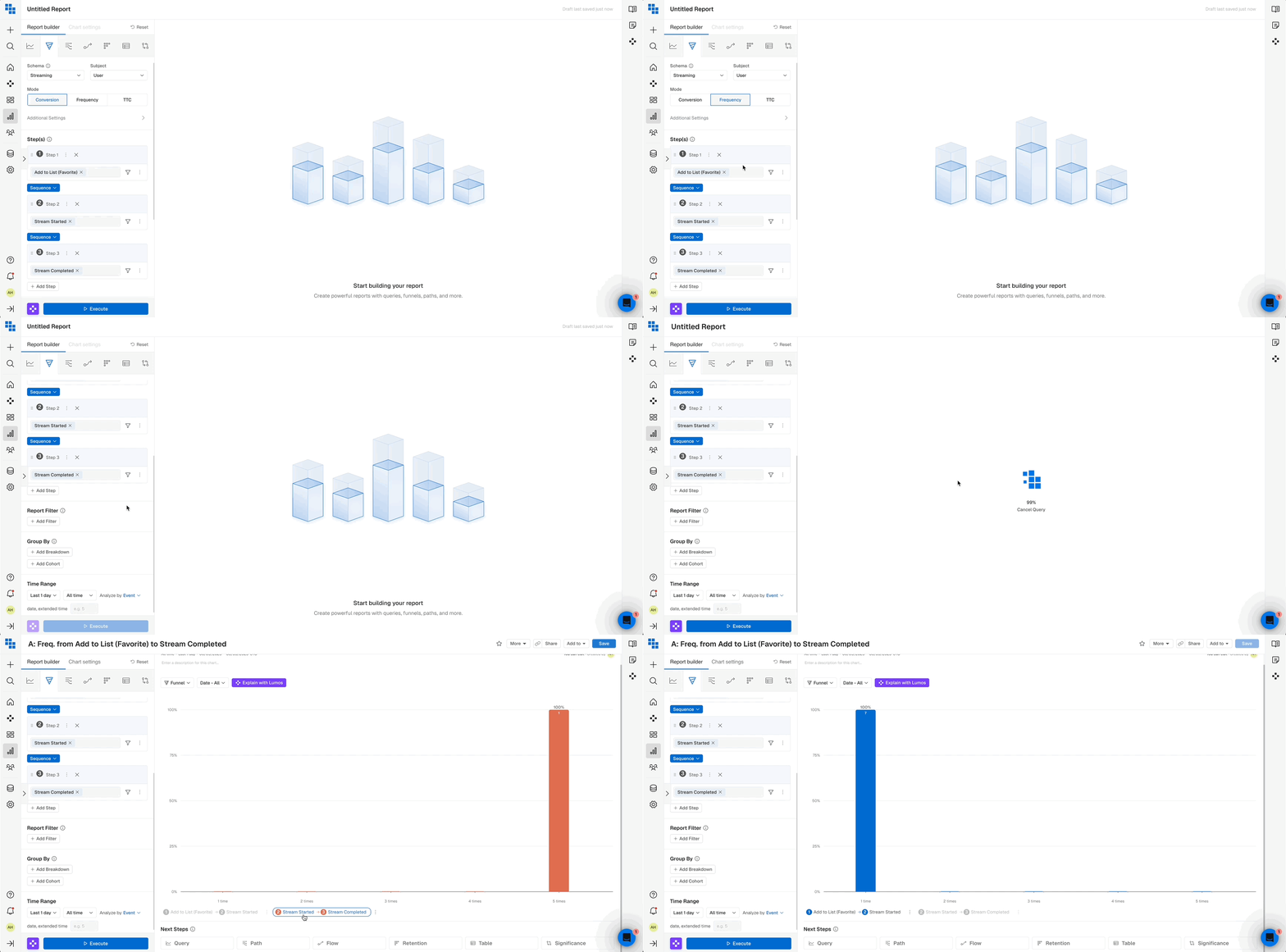
When you run a Funnel in Frequency mode, the chart displays:
- The number of times users trigger an event at a specific step before moving to the next.
- The percentage of users who trigger an event a certain number of times before advancing.
Constraints
- You can view the frequency for only one step at a time.
- The last step of the Funnel does not have a frequency, as there is no subsequent step.
- The
Time Unitis fixed toAll Timeto ensure clarity in the chart. - Frequency is calculated only for consecutive steps, so
Frequencymode is unavailable forOrder: Any. - Combining
Frequencymode withPartition: Noneis not recommended, as it may produce excessive frequencies, reducing analytical value. This mode is most insightful with short conversion windows (up to a day).
Updated 9 months ago
Did this page help you?