
Added
🔍 Zoom-in and Out
September 5th, 2025 by Stefan Enev
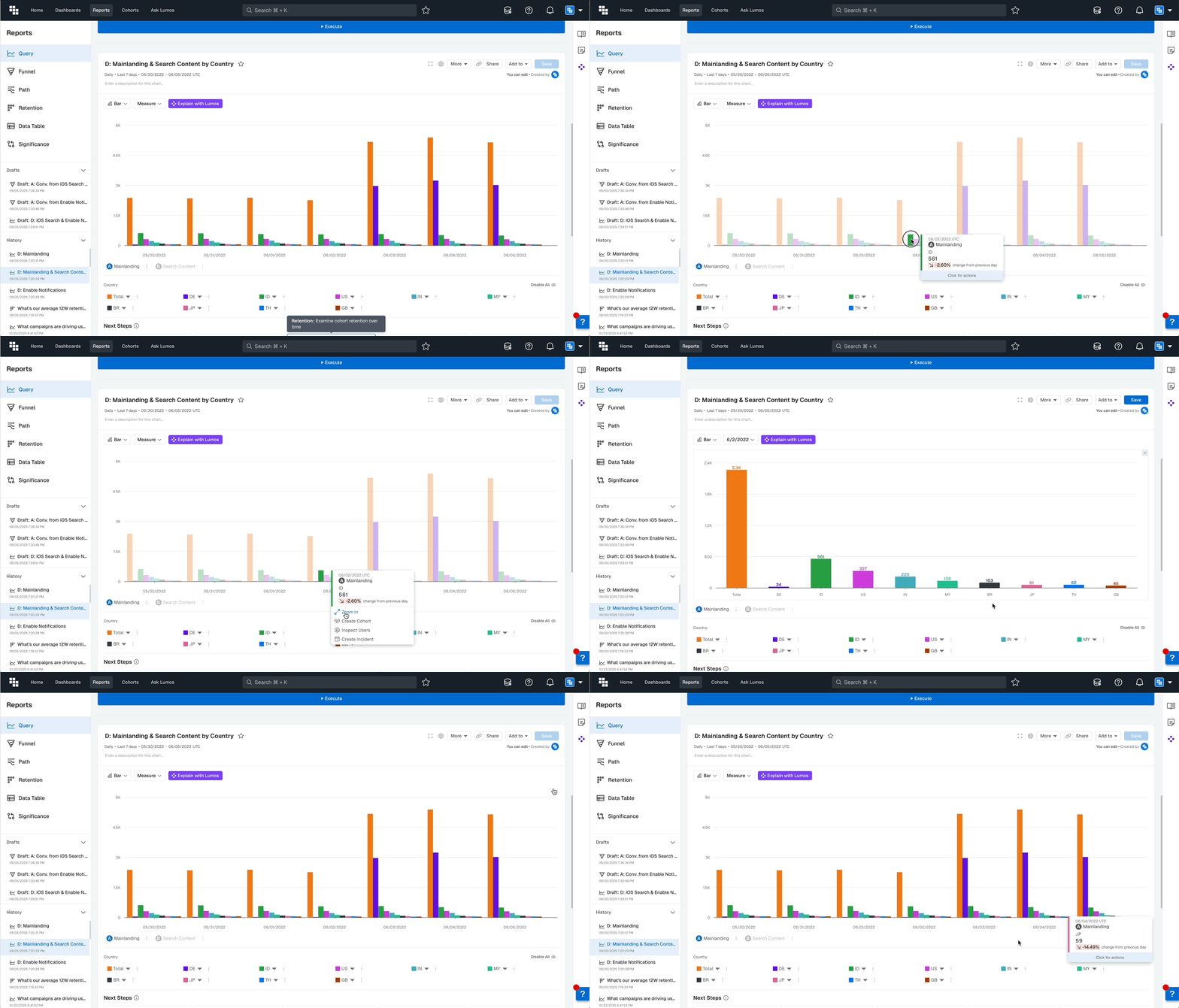
When viewing Charts with multiple Breakdown groups, you can now zoom in on specific time periods to see the distribution during that time.
How It Works
Left-clicking on any data point reveals a Zoom-in option. Selecting it filters the view to that specific time period, showing the distribution breakdown. The zoom level depends on your Report's Time Unit setting.
What Impact Does This Have
- Deeper analysis of specific time periods
- Better understanding of distribution patterns at granular levels
- Flexible exploration without creating new Reports