
Improved
🔍 Enhancements to AI Detect
December 5th, 2025 by Stefan Enev
We've improved the anomaly detection experience with better cell highlighting in Retention Tables and the ability to toggle anomaly visibility on reports.
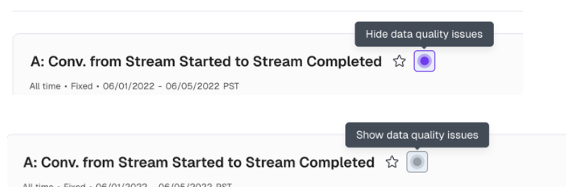
Before: Anomalies in Retention Tables blended in, and you couldn't hide anomaly indicators when you needed a clean view.
Now: Pronounced purple highlighting makes anomalies pop. A new toggle next to the Favorites star lets you show or hide anomalies, and your preference saves with the report.
The result: Full control over how you see your data. Focus on anomalies when investigating, hide them when presenting.